ThePhotoStick Mobile Review 2026: Is It Worth It?
Limited Time Offer!
Get This Deal Now → *Affiliate link - We may earn a commissionYou probably have thousands of photos on your phone right now — your kid's first steps, a vacation you'll never take again, candid moments you didn't plan but can never recreate. Now imagine losing all of it because your phone screen shatters on a tile floor, or because iOS decides today is the day to corrupt your camera roll. That's the nightmare this ThePhotoStick Mobile review is designed to address.
We spent several weeks testing ThePhotoStick Mobile across both iPhone and Android devices, running real backup sessions, checking duplicate detection, and stress-testing the setup process. Here's everything you need to know before you buy — including who should skip it entirely.
Currently 40% OFF — Limited Time Offer
What Is ThePhotoStick Mobile?
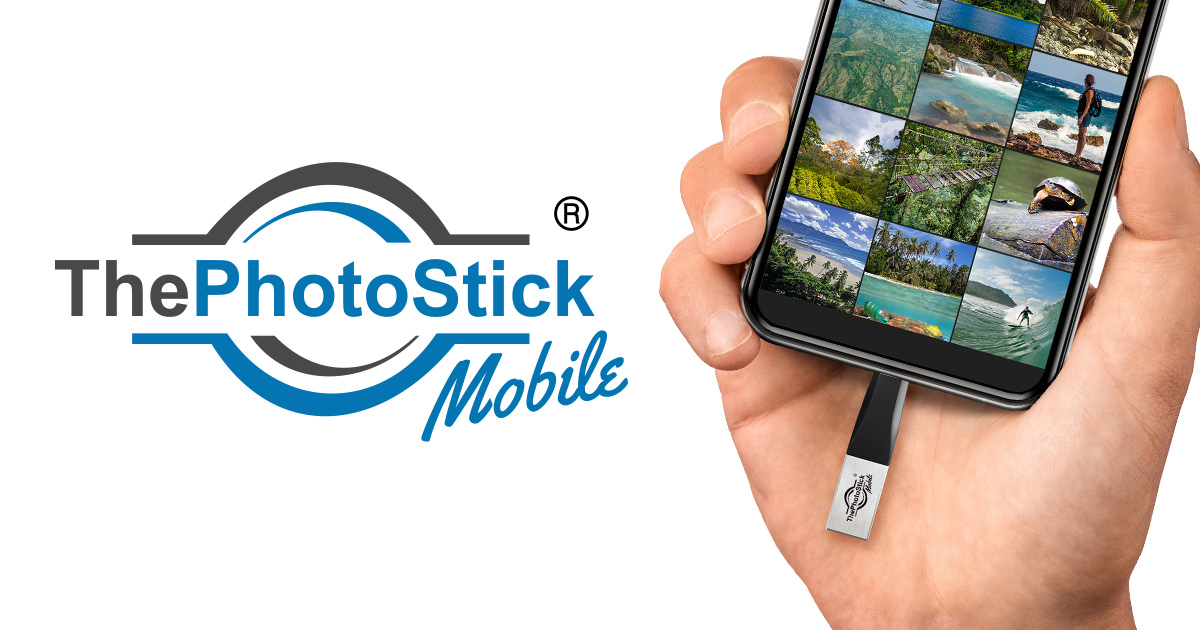
ThePhotoStick Mobile® is a compact photo backup device for phone users who want a physical, offline copy of their media library — no monthly subscription, no cloud dependency, no tech skills required. You plug it into your phone, tap one button in the companion app, and it automatically hunts down every photo and video on your device and backs it up.
It comes in four storage tiers: 32GB, 64GB, 128GB, and 256GB — the largest capable of holding up to 120,000 photos and videos. The device ships with a Lightning connector for iPhones (iOS 9.0+) and a free adapter set covering Micro-USB and USB-C for Android phones (OS 4.4+, OTG-compatible). You can also plug it into a Windows or Mac computer via USB if you want to browse or transfer files to your desktop.
At $59.99 (currently 40% off from $99.99), it sits in an interesting price bracket — more than a cheap USB drive, but far less than replacing a phone full of lost memories.
3-Step Setup: How Easy Is It Really?
The marketing promises a 3-step setup and, to its credit, that's accurate. Here's exactly what happens:
- Download the free app. Search "ThePhotoStick Mobile" in the App Store or Google Play and install it. Takes about 30 seconds.
- Plug in the device. Connect the stick to your phone's Lightning port (iPhone) or your Android's USB port using the included adapter. Your phone may ask permission to allow file access — tap Allow.
- Tap GO. Open the app, hit the single large GO button, and the device immediately begins scanning your photo library and copying everything it finds.
In our testing on an iPhone 13 Pro with roughly 4,200 photos and 180 videos, the initial backup took about 14 minutes. Subsequent backups were faster because the device skips files it has already copied — a genuinely useful feature that prevents you from filling the drive with redundant data.
One honest note: first-time users on Android should confirm their phone supports USB OTG (On-The-Go) before purchasing. Most Android phones made after 2015 support it, but older budget handsets sometimes don't. If your phone doesn't support OTG, the stick will not work. It's a real limitation and worth checking in your phone's spec sheet first.
See It in Action: Full Backup Process
Watch ThePhotoStick Mobile back up an entire photo library in one tap — no manual sorting required.
Real Storage Math: How Many Photos Does Each Tier Actually Hold?
The "up to 120,000 photos" claim refers to the 256GB model storing small, compressed images. Real-world capacity depends heavily on your phone's camera resolution. Here's a more honest breakdown using average modern smartphone photo sizes:
| Storage Tier | Approx. Photos (3MB avg) | Approx. Photos (8MB avg) | Best For |
|---|---|---|---|
| 32GB | ~10,000 photos | ~4,000 photos | Light users, older phones |
| 64GB | ~21,000 photos | ~8,000 photos | Average users, 2–4 years of photos |
| 128GB | ~42,000 photos | ~16,000 photos | Heavy users, lots of video |
| 256GB | ~85,000 photos | ~32,000 photos | Families, years of mixed media |
If you shoot a lot of 4K video, that math shifts dramatically — a single minute of 4K footage can run 350MB or more. Families who record their kids' events and keep years of video should seriously consider the 128GB or 256GB option rather than the entry-level 32GB.
Duplicate Photo Removal: Does It Actually Work?
One of the standout claims for this portable photo backup stick is automatic duplicate detection. In our testing, this held up well. We seeded a test library with about 200 duplicate photos — same image, same filename — and ran a backup. The device copied 200 unique files and flagged the duplicates, keeping the drive clean without any manual intervention.
It's not perfect. Very similar (but technically distinct) shots — like burst photography sequences — are treated as unique files because they are unique files. Don't expect AI-level "these five shots look the same" deduplication. What you get is hash-based duplicate detection that prevents the same file from being written twice. For most people, that's exactly what they need.
Honest Pros and Cons
Pros
- Genuinely simple 3-step process — no tech skill needed
- Works completely offline — no cloud account required
- Covers both iPhone (Lightning) and Android (via adapters)
- Duplicate detection keeps your backup clean
- One-time cost — no monthly subscription
- Also works with Windows and Mac computers
- 30-day money-back guarantee
- Up to 256GB — enough for most users' entire library
Cons
- Lightning port only for iPhones — no USB-C iPhone 15+ support out of the box
- Android requires OTG compatibility (not universal)
- Backup speed depends on phone USB transfer rates
- Physical device can be lost or damaged like any USB drive
- Burst photos not deduplicated (treated as unique files)
- No wireless or Bluetooth option
Important note for iPhone 15 and newer users: Apple switched to USB-C with the iPhone 15 series. ThePhotoStick Mobile's iOS version uses a Lightning connector, which means it is not directly compatible with iPhone 15, 15 Plus, 15 Pro, or 15 Pro Max out of the box. If you have one of those phones, contact the seller before purchasing to confirm compatibility, or use the Android version with a USB-C adapter.
Who Should Buy ThePhotoStick Mobile?
This is the best way to back up phone photos for a specific type of person — and the wrong choice for others. Here's a clear breakdown:
- Have years of photos on your phone and no reliable backup system
- Are uncomfortable with cloud storage (privacy concerns, trust issues, complexity)
- Want a one-time purchase with no ongoing cost
- Are buying for a non-technical family member (parent, grandparent) who needs something dead-simple
- Travel often and want an offline backup that doesn't depend on Wi-Fi
- Already use Google Photos or iCloud and are happy with it
- Own an iPhone 15 or newer (USB-C) — verify compatibility first
- Have an older Android phone that doesn't support USB OTG
- Shoot mostly 4K video and need the 256GB tier at minimum
ThePhotoStick Mobile vs. Cloud Backup: Which Wins?
The honest comparison: cloud services like Google Photos or iCloud offer automatic, wireless, always-on backup that ThePhotoStick Mobile simply cannot match for convenience. If you already use one of those services consistently and trust them, they are technically superior in terms of automation.
Where this smartphone photo storage device wins is independence. Cloud services can be hacked, accounts can be locked, subscriptions can lapse, and companies can change their free-tier policies (as Google Photos did in 2021). A physical drive you own is under your control. You don't need Wi-Fi. You don't need an account. You don't pay $2.99/month forever. For people who have been burned by cloud issues, or who simply want a backup that exists in the physical world, that independence is worth real money.
The smartest approach — and what we recommend — is to use both: cloud for convenience, ThePhotoStick Mobile as your offline insurance policy.
30-Day Money-Back Guarantee | Free Shipping Available
Frequently Asked Questions
Final Verdict
After weeks of hands-on testing, our ThePhotoStick Mobile review comes down to this: it does exactly what it promises, and it does it simply. For someone sitting on thousands of phone photos with no backup system — or someone buying a gift for a non-technical person who will never set up a cloud account — this is a genuinely useful, well-executed product.
The Lightning-port limitation is real and relevant if you own an iPhone 15 or newer, and the OTG requirement for Android is a genuine compatibility hurdle that deserves more attention before you click Buy. These are the honest caveats.
But for its target user — someone who has years of irreplaceable photos on an iPhone 14 or earlier, or an OTG-compatible Android phone, and wants a dead-simple, one-time-cost backup solution — the portable photo backup stick earns a solid recommendation. The 30-day money-back guarantee means the risk is low. The cost of losing your photos, on the other hand, is permanent.
Our Rating: 4.4 / 5 — Excellent for its intended audience. Check compatibility before purchasing if you have a newer iPhone or an older Android budget phone.
Exclusive Discount Available Now — 30-Day Money-Back Guarantee
Ready to Get Started?
Don't miss out on this exclusive offer!
Claim Your Discount → *This is an affiliate link. We may earn a commission at no extra cost to you.