NBA Game Day Essentials: What to Bring to a Game
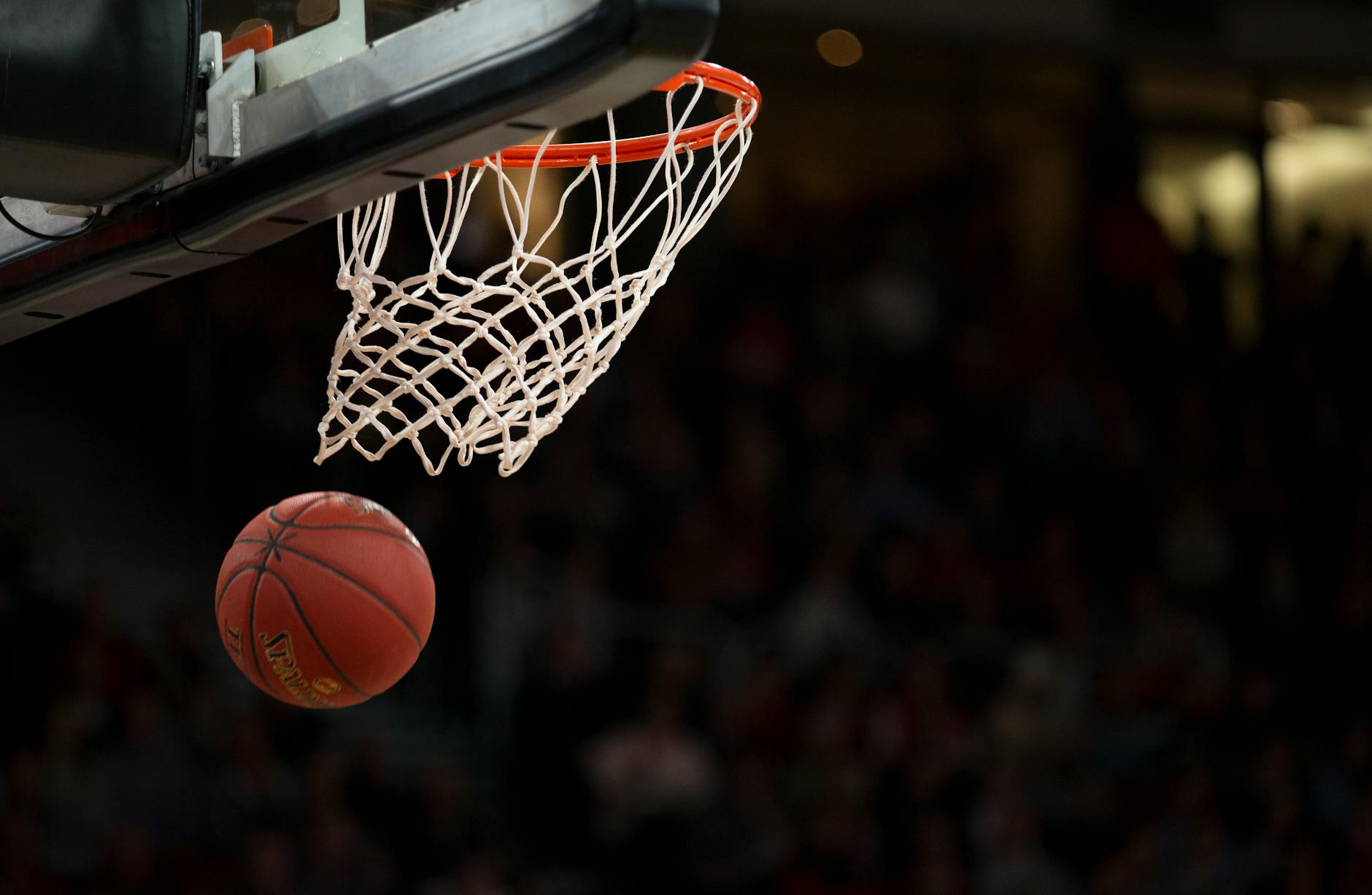
There is nothing quite like attending NBA games in person. The roar of the crowd when the starting lineups are announced, the squeak of sneakers on hardwood, the electricity in the air during a game-tying buzzer beater — no broadcast can fully replicate it. But for first-timers and even seasoned fans, showing up underprepared can quickly turn an epic night into a stressful one. Long lines, a dead phone battery, a confiscated bag at the gate — these are all avoidable if you know what to expect.
This guide covers everything you need to know before attending an NBA game in 2026: arena bag policies, what to pack, what to leave at home, how to keep your devices charged for the full three-plus hours, food strategy, the best seat categories for different budgets, and photography tips so you walk away with memories worth sharing.
Before You Go: Planning Your Visit
Good NBA game day tips start well before you walk through the arena doors. Planning the logistics in advance separates a smooth night from a chaotic one.
Purchase Tickets Early and Use the Official App
The NBA and individual franchises all use mobile ticketing. Tickets purchased through the team's official app or Ticketmaster are delivered digitally — no printouts required (and in most arenas, paper tickets are no longer accepted at all). Download the team's official app as soon as you purchase, and add your tickets to Apple Wallet or Google Wallet before game day. Transferring tickets to your wallet app means you can display them even in airplane mode, which is handy if the arena's cell service is overloaded.
Avoid third-party resellers that email you a PDF — many arenas no longer scan printed barcodes, and you could be turned away at the gate.
Plan Your Arrival Time
The NBA recommends arriving at least 60–90 minutes before tip-off. This gives you time to find parking, clear security (bag checks can create long lines), grab food, find your seats, and soak in warmups — one of the most underrated parts of the live NBA experience. Star players are often accessible for close-up views during warmups in a way they never are during the game itself.
Parking and Transportation
Pre-book parking online. Arena lots fill up fast, and pre-paid spots are typically cheaper than day-of purchases. Better yet, use public transit or a rideshare drop-off if the arena is well-served — you will avoid parking traffic entirely after the final buzzer. Have your rideshare app downloaded and your home address saved so you can request a ride the moment the game ends without fumbling around.
What to Bring to an NBA Game
Packing smart is the single most important thing you can do before attending a game. Here is a complete list of what to bring, organized by priority.
Absolute Essentials
- Mobile tickets — saved to Apple Wallet or Google Wallet, not just an email
- Government-issued ID — required for alcohol purchases and sometimes for ticket verification
- A fully charged smartphone — your ticket, your camera, your navigation, your food-ordering tool, and your connection to the outside world, all in one device
- A portable charger (power bank) — this is non-negotiable; a 3-hour game with constant photography, social sharing, and app use will drain even a large battery
- Payment method — most NBA arenas are now cashless; a debit or credit card (physical or digital) is required
- A clear bag or small personal bag — see the bag policy section below for exact size rules
Comfort and Convenience Items
- Layers — NBA arenas run cold air conditioning regardless of the season; bring a light jacket or hoodie
- Comfortable shoes — you will walk more than you expect: parking lots, concourses, concession lines
- Earplugs — optional, but arena sound systems peak above 100 decibels during timeouts and intros
- Hand sanitizer and wipes — concessions, railings, and shared armrests
- Snacks for the ride home — not for inside the arena, but post-game hunger after the adrenaline fades is real
- Small binoculars — if you are seated in the upper bowl, compact binoculars (8x25 or smaller) dramatically improve your view
For Families with Kids
- Headphones or noise-canceling earmuffs for young children
- A small quiet activity for halftime (coloring book, puzzle)
- Your child's favorite snack in case arena options are not to their liking
- A portable charger for the kids' tablets or devices
NBA Arena Bag Policies 2026
Every NBA arena enforces a bag policy, and while rules vary slightly by venue, the industry-wide standard as of the 2025–26 season follows this framework.
The Clear Bag Rule
Most arenas require that any bag larger than a small clutch be clear plastic, vinyl, or PVC. Clear bags allow security to inspect contents visually without emptying the entire bag, which speeds up entry lines significantly. The standard allowed size is 12" x 6" x 12" or smaller. One-gallon clear zip-top bags are always permitted.
In addition to the clear bag, fans are typically allowed one small clutch or wristlet no larger than 4.5" x 6.5". This can be any color or material. Many women bring a small cosmetic bag as their clutch.
Bag Size at a Glance
| Bag Type | Allowed Size | Material Required |
|---|---|---|
| Large clear bag | 12" x 6" x 12" max | Clear plastic/vinyl only |
| One-gallon zip bag | Standard gallon size | Clear plastic |
| Small clutch/wristlet | 4.5" x 6.5" max | Any material |
| Regular backpack or purse | Not permitted | — |
Always verify the specific bag policy on your arena's official website before you leave home. A few venues — notably those that have recently upgraded security technology — have relaxed the clear bag rule in favor of walk-through scanning systems. When in doubt, call the arena's guest services line.
What NOT to Bring to an NBA Game
Showing up with prohibited items means either surrendering them at the gate or returning them to your car — neither is a fun experience. Here is what the NBA arena rules 2026 consistently prohibit.
- Outside food and drink — most arenas prohibit outside food; sealed, factory-packaged snacks and one sealed water bottle are sometimes permitted, but check your arena's specific policy
- Laser pointers — banned league-wide and a serious safety hazard
- Professional camera equipment — detachable lenses longer than 4 inches, tripods, monopods, and GoPro mounts on selfie sticks are prohibited
- Selfie sticks — banned at virtually every NBA arena
- Umbrellas — including folding umbrellas, which can be used as weapons
- Signs larger than 8.5" x 11" — and signs on sticks are never allowed
- Noisemakers, air horns, whistles
- Weapons of any kind — including pocket knives, pepper spray, and tactical pens
- Alcohol from outside the venue
- Drones or remote-controlled devices
Staying Connected: Phone and Battery Tips
Your smartphone is arguably the most important item you bring to an NBA game in 2026. It holds your ticket, powers the arena app, lets you capture memories, and gets you home safely afterward. The problem? Three-plus hours of staying connected at sports events is brutal on battery life.
Why Your Battery Drains So Fast at Games
Cell towers near large arenas are heavily congested during events. Your phone constantly searches for a stronger signal, which burns battery significantly faster than normal. Add to that:
- Displaying your digital ticket at entry (screen at full brightness)
- Using the team's arena app for instant replays, live stats, and food ordering
- Shooting photos and video throughout the game
- Posting to Instagram, TikTok, or X during big moments
- Navigating parking and calling a rideshare after the game
A fully charged phone at tip-off can easily be at 15–20% by the time you leave the parking lot. That is not a comfortable place to be when you need to pull up your rideshare or call your ride.
How to Manage Battery Life at an NBA Game
- Start with a full charge. Plug in the night before and top off while driving to the arena.
- Bring a portable charger. A power bank with at least 10,000 mAh capacity can fully recharge most smartphones once, which is more than enough to last the entire event. Keep the USB cable in your clear bag.
- Enable Low Power Mode before the game starts — it reduces background app refresh and screen brightness automatically.
- Add your tickets to Apple Wallet or Google Wallet. Wallet apps display tickets without needing an active internet connection, preserving battery and sparing you grief if cell service is weak at the gate.
- Turn off Wi-Fi scanning if the arena does not have public Wi-Fi you plan to use — your phone will drain hunting for networks.
- Lower screen brightness during slow periods of the game when you are not actively using the phone.
A portable charger is the single most underrated piece of NBA game day gear. Most fans remember it only after they have been burned once by a dead phone at the worst possible moment.
Food and Drink Strategy
Arena food has improved dramatically across the NBA, but prices remain steep — $14 hot dogs, $12 soft drinks, and $22 craft beers are not unusual. A few strategies help you eat well without breaking the bank.
Eat Before You Arrive
Have a meal before the game. This removes the pressure of fighting through concession lines during tip-off and lets you treat arena food as a "want" rather than a "need." You can grab a snack or dessert at a quieter moment — like the end of the first quarter when lines die down — rather than missing game action standing in line.
Order via the Arena App
Most NBA arenas now have mobile ordering through their official app. You browse the menu, pay in advance, and pick up your order from a dedicated express window — no waiting in line. Some arenas even offer in-seat delivery. The app is worth downloading for this feature alone.
Stay Hydrated
Arenas are aggressively air-conditioned. Bring an empty reusable water bottle (the kind with no metal lid is usually approved) and fill it at the free water fountains inside. This saves money and keeps you alert during a long game. Check your arena's specific policy on reusable bottles before packing one.
Best Seats at an NBA Game
Choosing the best seats at an NBA game depends on your budget and what kind of experience you want. Here is a breakdown of the main seating tiers.
Courtside and Lower Bowl (Rows 1–20)
The most expensive option, but the view is unparalleled. You see the athleticism, hear the communication between players and coaches, and feel the physical pace of the game in a way that upper bowl seats simply cannot replicate. Expect to pay $300–$2,000+ per seat depending on the matchup and market.
Club Level (Mid-Bowl)
Club seats sit above the lower bowl and below the upper deck. They offer excellent sight lines at a moderate angle, usually include access to premium lounges with shorter concession lines and higher-quality food, and often come with padded seating. Good value for the overall experience. Prices typically range from $120–$400.
Upper Bowl (Sections 200–300+)
The budget-friendly option that still gives you the electric live atmosphere. Sight lines are higher and farther from the action, but you get a full bird's-eye view of plays developing — something many serious fans actually prefer for understanding team schemes. Compact binoculars are highly recommended here. Prices range from $30–$120 for most markets.
Seat Location Tips
- Avoid seats directly behind the backboard — you lose depth perception on scoring attempts
- Side-court seats between the two baskets are widely considered the best value for sight lines at any level
- Check the 3D seat view on Ticketmaster or SeatGeek before purchasing — it shows you exactly what the view looks like from your row
Photography Tips for NBA Games
The fast pace, variable lighting, and long distances in NBA arenas make game photography genuinely challenging — but modern smartphone cameras handle it surprisingly well if you know a few techniques.
Smartphone Photography Tips
- Use Burst Mode — hold the shutter button to fire continuous shots during fast plays; pick the best frames afterward
- Shoot in 4K video and take screenshots — arena lighting is inconsistent; 4K video gives you the flexibility to pull the exact frame you want in post
- Use Night Mode only for static shots — Night Mode requires longer exposure times and will blur fast-moving players
- Lock exposure on the court — tap and hold on a well-lit area of the floor to lock focus and exposure before a play develops
- Shoot during timeouts and free throws — players are stationary, lighting is stable, and you can compose a clean shot
- Front-court angle shots from below your eye line look dramatic and cinematic — try resting your phone on the seat-back in front of you
Camera Gear That IS Allowed
Compact mirrorless cameras or DSLRs with a fixed lens under 4 inches are generally permitted for personal use. No flash photography is allowed during game action — arenas actively enforce this. No monopods, no tripods, no external battery grips that extend the camera body significantly.
Key Takeaways: Your Complete NBA Game Day Checklist
Attending NBA games live is one of the best entertainment experiences available — but only if you walk in prepared. Run through this checklist the night before your game.
Night-Before Checklist
- Add tickets to Apple Wallet or Google Wallet
- Charge your smartphone to 100%
- Charge your portable power bank to 100%
- Pack your clear bag with all essentials
- Confirm parking or transit plan
- Download the team's official arena app
- Check the arena's specific bag policy
- Check the weather if walking to the arena
- Pack a light jacket or hoodie (arenas are cold)
- Confirm your ID is in your wallet
Game Day Bag: What Goes In the Clear Bag
- Smartphone (with tickets saved to Wallet)
- Portable charger + USB cable
- ID and payment card
- Light jacket or packable layer
- Lip balm, hand sanitizer, tissues
- Small wristlet/clutch for personal items
- Compact binoculars (if upper bowl)
- Sealed snack or water bottle (if permitted)
- Earbuds (for halftime)
The live NBA game atmosphere is electric, fast-moving, and genuinely unlike anything you can watch on television. With a little preparation — the right bag, a fully charged device ecosystem, your tickets safely stored in your Wallet app, and a plan for food and transportation — you are set up to enjoy every minute from tip-off to the final horn.